
Download Work Schedule – Free Workplace Task Management Tool
Overview
Work Schedule is a modern, cloud‑enabled application designed specifically for managers who need to keep a tight grip on employee rosters, shift planning, and payroll calculations. Built with an intuitive interface, the app lets you create active and inactive staff lists, define working and non‑working days, and automatically calculate earnings for each employee over any selected period. Whether you run a small retail shop, a bustling restaurant, or a medium‑size corporate office, Work Schedule consolidates all the essential scheduling data into one secure, iCloud‑synced platform.
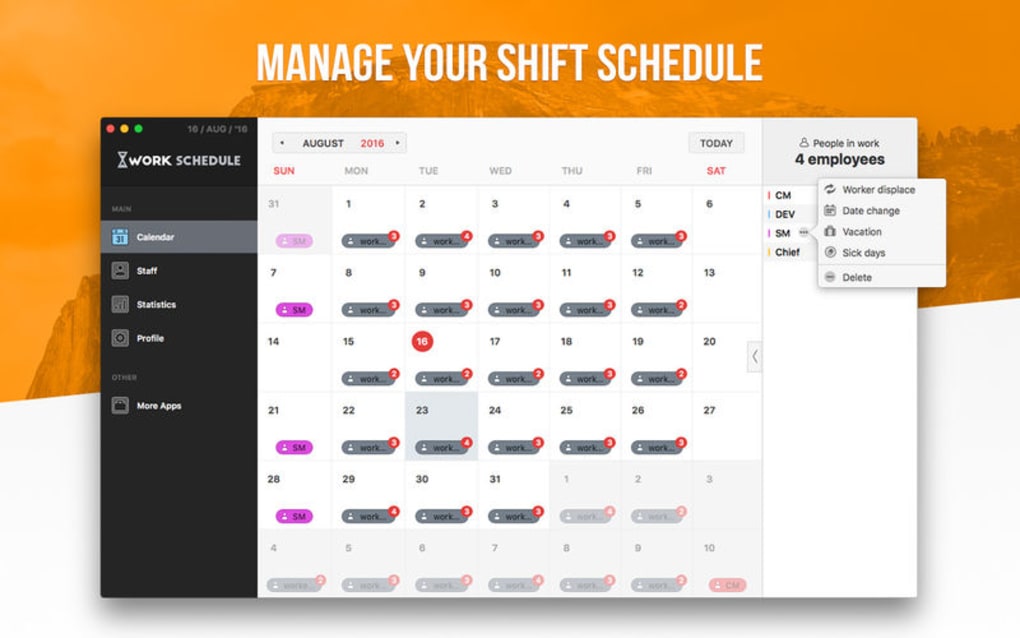
The calendar view offers a bird‑eye perspective of all upcoming shifts, making it easy to spot gaps, overtime, or staffing conflicts before they become problems. Additionally, the tool provides financial tracking features such as salary setting per shift, real‑time earnings summaries, and exportable reports that simplify payroll processing. With a focus on speed, accuracy, and collaboration, Work Schedule removes the tedious paperwork traditionally associated with staff management, letting you spend more time on strategic decisions and less on administrative overhead.
Key Features
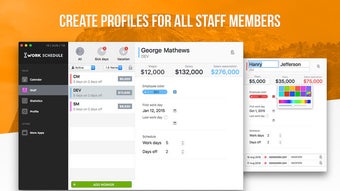
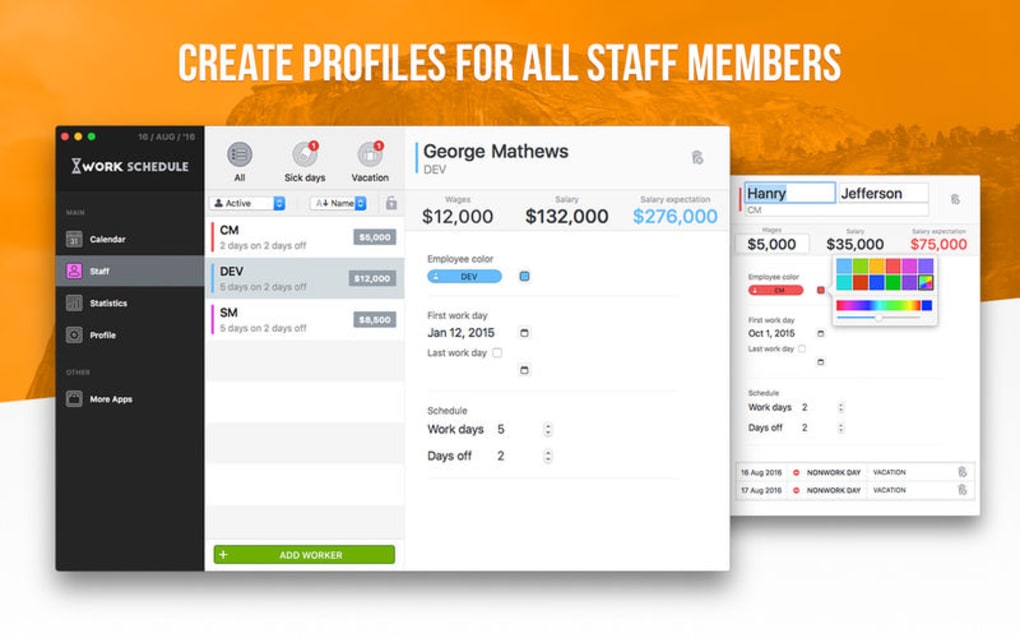
- Staff Roster Management: Add, edit, or delete employee profiles, flag inactive staff, and assign custom roles.
- Shift Planning Calendar: Drag‑and‑drop interface for creating, moving, or deleting shifts in a visual calendar mode.
- Workday & Non‑Workday Configuration: Define regular working days, holidays, and personal leave for each employee.
- Salary per Shift: Set hourly or flat rates for individual shifts, accommodating overtime, night differentials, and bonuses.
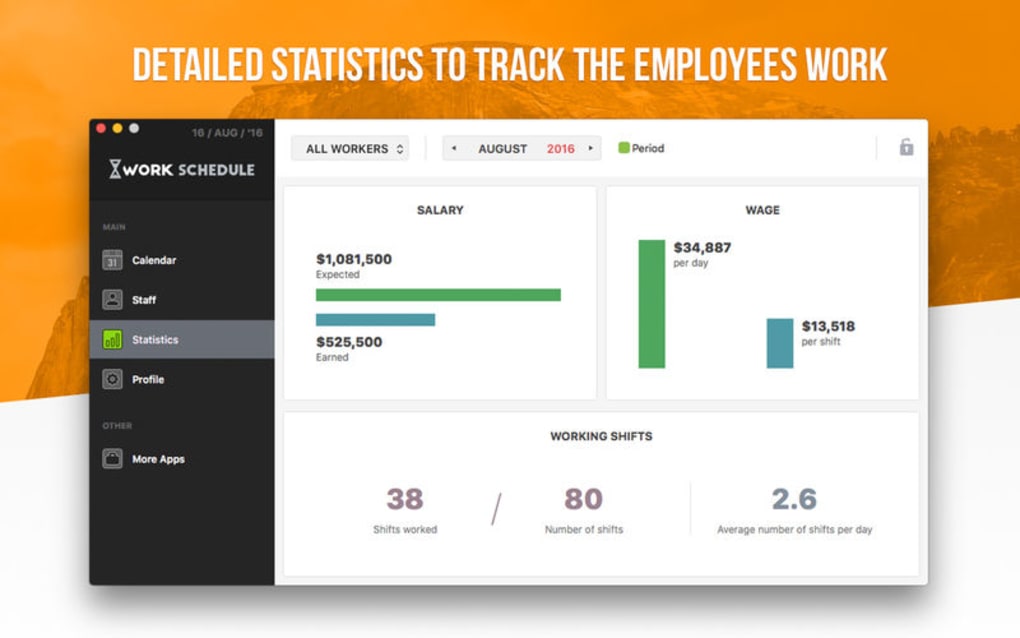
- Earnings Tracker: Automatic calculation of total earnings per employee over selectable date ranges.
- iCloud Synchronization: Real‑time data sync across iPhone, iPad, and Mac devices, ensuring every manager sees the latest schedule.
- Exportable Reports: Generate PDF or CSV reports for payroll processing, audit trails, or HR documentation.
- Secure Data Handling: End‑to‑end encryption for all stored data, complying with common data‑privacy standards.
- Multi‑User Collaboration: Invite co‑managers or HR personnel to view or edit schedules with granular permission controls.
- Notification System: Push alerts for upcoming shifts, schedule changes, or salary updates sent directly to staff devices.
Each feature has been crafted to address a specific pain point in workforce management. The staff roster module eliminates duplicate entries and reduces the risk of mis‑assigning shifts. Calendar‑based planning replaces spreadsheets, providing a visual cue that helps managers quickly assess coverage gaps.
Salary per shift and earnings tracking give instant insight into labor costs, supporting budget compliance and transparent payroll processes. By leveraging iCloud synchronization, Work Schedule ensures that all team members—whether they’re on a MacBook in the office or an iPhone on the shop floor—access the same up‑to‑date information, drastically reducing miscommunication. The export functionality also streamlines integration with external accounting software, meaning you won’t have to manually re‑enter data for tax filing or payroll runs.
Together, these features make Work Schedule a comprehensive, all‑in‑one solution for modern workplace scheduling needs.
Installation & Usage Guide
Step‑by‑Step Installation
Getting started with Work Schedule is straightforward and takes only a few minutes. First, visit the Apple App Store on your iPhone, iPad, or Mac. Search for “Work Schedule” and tap the Get button—there’s no cost, and the app is free to download. Once installed, open the app and sign in with your Apple ID to enable iCloud synchronization. If you prefer not to use iCloud, you can create a local account, but note that cross‑device syncing will be unavailable.
After signing in, you’ll be greeted by a brief onboarding tutorial that walks you through creating your first staff list. Follow the prompts to add employee names, assign a unique ID, and indicate whether they are active or inactive. The tutorial also shows you how to set default working days (e.g., Monday‑Friday) and configure holidays. When the setup is complete, you’ll land on the main dashboard, where the calendar view and quick‑add buttons are prominently displayed.
Daily Workflow
The daily workflow centers around three core actions: create shifts, adjust salaries, and review earnings. To add a shift, tap the “+” icon on the calendar, select the employee, choose the start and end times, and confirm. The app instantly updates the employee’s total hours and projected earnings for the current pay period. If a shift requires a special rate—such as overtime or a holiday premium—simply tap the “Rate” field and input the appropriate amount; Work Schedule will recalculate the totals automatically.
Salary adjustments are managed via the “Compensation” tab. Here you can set a base hourly rate, add shift‑specific bonuses, or apply a flat salary for salaried positions. The app stores a history of all rate changes, which is useful for auditing and compliance. To view earnings, navigate to the “Reports” section, select a date range, and the app generates a detailed breakdown of each employee’s wages, including taxes and deductions if configured.
Tips for Power Users
Power users can take advantage of the bulk‑edit feature, which allows you to select multiple employees and assign the same shift pattern or rate change simultaneously. This is especially handy during seasonal hiring periods. Additionally, enable push notifications in the settings menu to receive real‑time alerts when a staff member swaps a shift or requests time off. Finally, regularly export your reports to CSV and import them into your accounting software to keep payroll seamless and error‑free.
Compatibility, Pros & Cons
Work Schedule is a native iOS, iPadOS, and macOS application, requiring iOS 13.0 or later, iPadOS 13.0 or later, and macOS 10.15 (Catalina) or newer. The app is optimized for iPhone 8 and later, iPad Pro, Air, and mini models, as well as Intel‑based and Apple Silicon Macs. Because it relies on iCloud for real‑time syncing, a stable internet connection is recommended for multi‑device usage. The app does not currently support Windows, Android, or Linux platforms, though a web‑based portal is under development for cross‑platform accessibility.
Pros
- Free to download and use, with no hidden subscription fees.
- Intuitive drag‑and‑drop calendar makes shift planning quick.
- Robust iCloud sync ensures data consistency across all Apple devices.
- Comprehensive salary and earnings calculation reduces payroll errors.
- Exportable PDF/CSV reports simplify integration with accounting tools.
- Secure encryption protects employee data and complies with privacy standards.
- Multi‑user collaboration with granular permission controls.
- Push notifications keep staff informed of schedule changes instantly.
Cons
- Limited to Apple ecosystem; no native Windows or Android version yet.
- Advanced payroll features (tax calculations, benefits) require manual setup.
- Reliance on iCloud means offline editing is limited to a single device.
- Large organizations may need additional integration with dedicated HR systems.
Review Summary: Work Schedule delivers a polished, feature‑rich experience for managers seeking a free, Apple‑centric scheduling solution. Its strengths lie in seamless iCloud sync, clear earnings calculations, and a user‑friendly calendar. While platform limitation and advanced payroll automation are minor drawbacks, the app’s overall value makes it a top pick for small to medium‑size teams.
FAQ & Conclusion
Is Work Schedule really free, or are there hidden in‑app purchases?
Work Schedule is completely free to download and use. All core features—including staff management, shift planning, salary calculations, and iCloud sync—are available without any subscription or one‑time purchase. Future premium add‑ons may be introduced, but the current version remains 100% free.
Can I sync Work Schedule with Google Calendar or Outlook?
Direct synchronization with Google Calendar or Outlook is not built into the app at this time. However, you can export your shift schedule as an iCalendar (.ics) file and import it manually into those services.
How secure is the data stored in iCloud?
All data transmitted to iCloud is encrypted in transit and at rest using Apple’s standard end‑to‑end encryption protocols. Your employee information, salary details, and schedule data are protected by the same security measures that safeguard iMessage and Photos.
What happens if I lose internet connectivity?
Work Schedule caches the most recent data locally on your device, allowing you to view and edit schedules offline. Changes made while offline will sync automatically the next time you reconnect to the internet.
Is there a way to back up my schedules outside of iCloud?
Yes. You can export your staff list, shift calendar, and earnings reports as CSV or PDF files from the “Reports” section. Store these files on an external drive, Dropbox, or any other backup solution you prefer.
In summary, Work Schedule offers a powerful, free solution for managers who need to streamline staff rostering, shift planning, and payroll tracking—all within the secure Apple ecosystem. Its visual calendar, iCloud sync, and robust earnings calculations set it apart from basic spreadsheet methods, while the exportable reports keep your financial records tidy and audit‑ready. If you’re looking for a reliable, user‑friendly tool to eliminate scheduling headaches, download Work Schedule today and experience the difference a dedicated app can make for your workplace efficiency.
Download Work Schedule now and start organizing your workforce with confidence.







